Everything for your bikes. From setup to service.
A chain swap, a new wheelset or a bike shop invoice: Velopit helps you organise your bikes and everything around them. Here you can see every feature of the bike maintenance app at a glance.
Strava sync Works in any browser No credit card needed
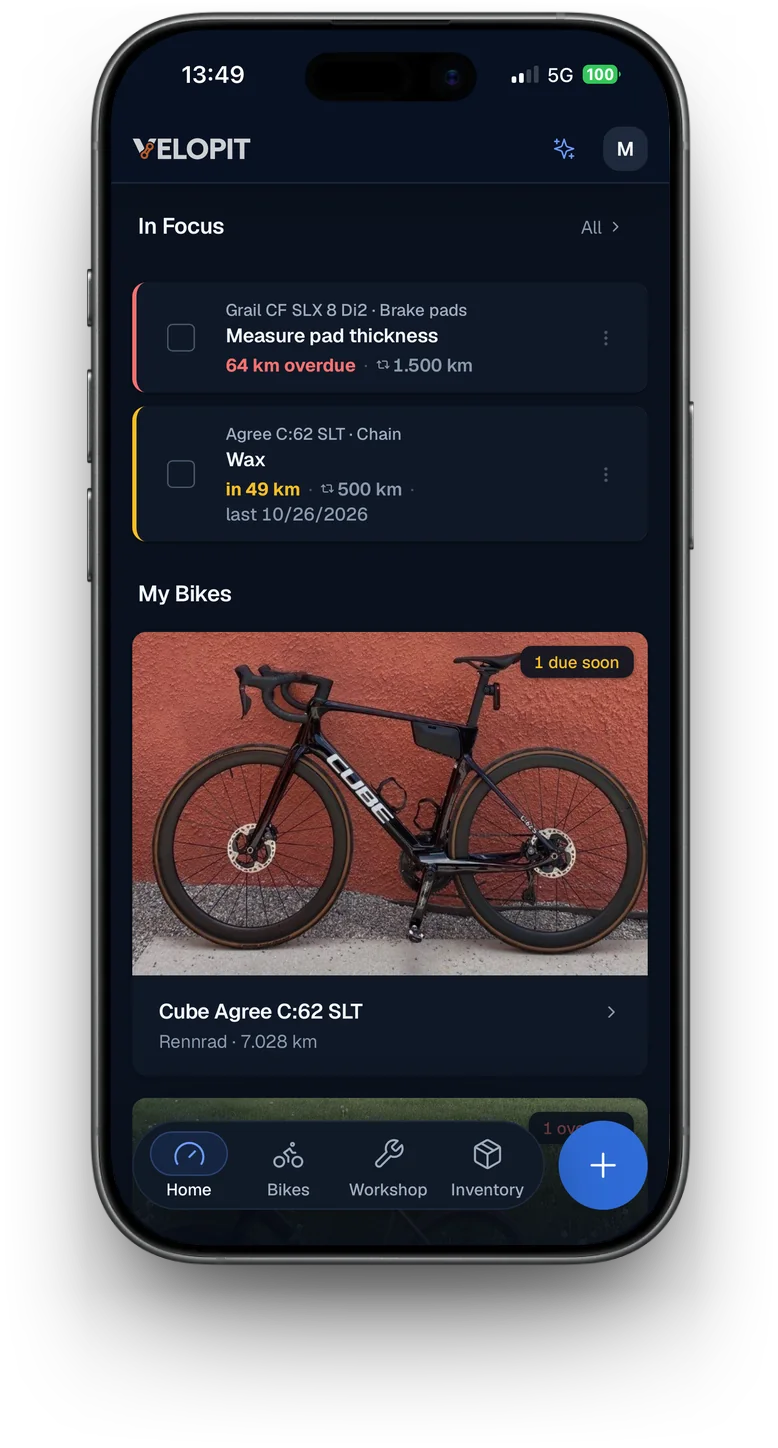
Your bikes. Your kit.
Road bike, gravel bike, MTB or e-bike. Each one has its own components, kilometres and maintenance. In Velopit everything stays with the right bike, even when you swap parts between your bikes.
Manage all your bikes
Add your bikes with their key details and components. With Basic you manage up to three bikes for free, with Ride up to 20.
Every component in detail
Chain, cassette, wheelset or suspension: record what is fitted to your bike and keep track of the mileage of your components.
Swap components between bikes
Moving the wheelset from your gravel bike to your road bike? The mileage so far stays with the component. Velopit records where it was fitted.
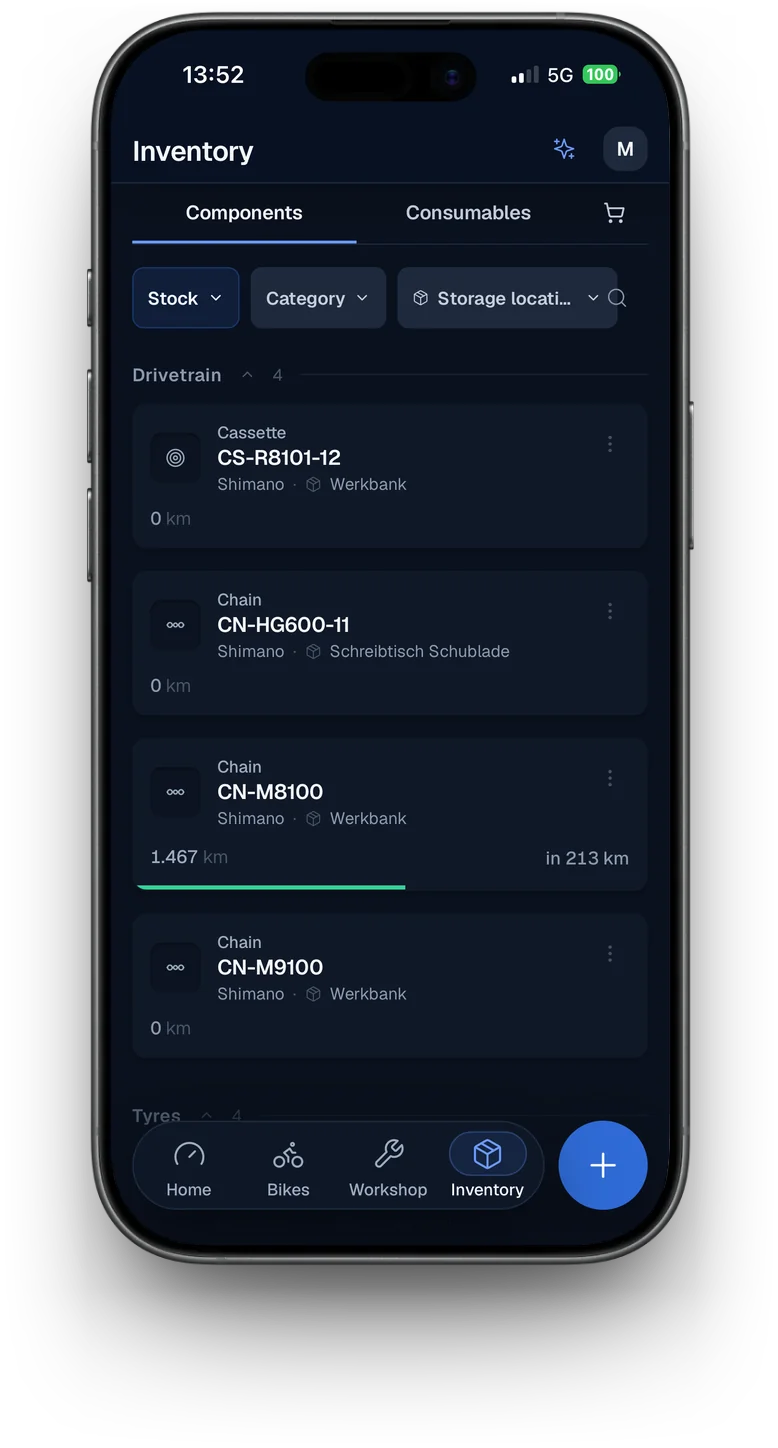
Spare parts in your inventory
A spare chain, a cassette or a second wheelset. Components that are not fitted to any bike right now also have their place in the inventory.
More about the inventoryComponent groups
With Ride you swap several parts that belong together in one go, for example a wheelset with its tyres, cassette and brake rotors.
Included in Ride
Also
- Bike from the cataloguePick your model in the Velopit bike catalogue, and Velopit adds the model year, category and stock build. If your model is missing, Velopit reads the stock build from the manufacturer page, or the bike scan suggests it with AI. Both count as an AI request.
Mileage that keeps up with you.
Velopit counts the kilometres of your bikes and of each component. With Strava, this happens automatically. Without Strava, you can log your rides yourself.
Ride
Bikes
Components and intervals
Automatic with Strava
Connect your Strava account and your rides come in automatically. The kilometres go to your bikes and to the components fitted to each one.
Log rides yourself
Not on Strava, or want to add a ride later? No problem. You can also log your kilometres by hand.
Mileage per component
How many kilometres has your cassette actually done? Velopit counts the mileage of the components fitted to your bikes. The mileage so far stays with a part even after you swap it.
Tell indoor and outdoor apart
A turbo trainer does not load the same components as riding outside. You decide which rides count for which components.
Kilometres or operating hours
For the chain and cassette, kilometres usually matter most. For the fork and shock, you can also count operating hours.
Know what is due next.
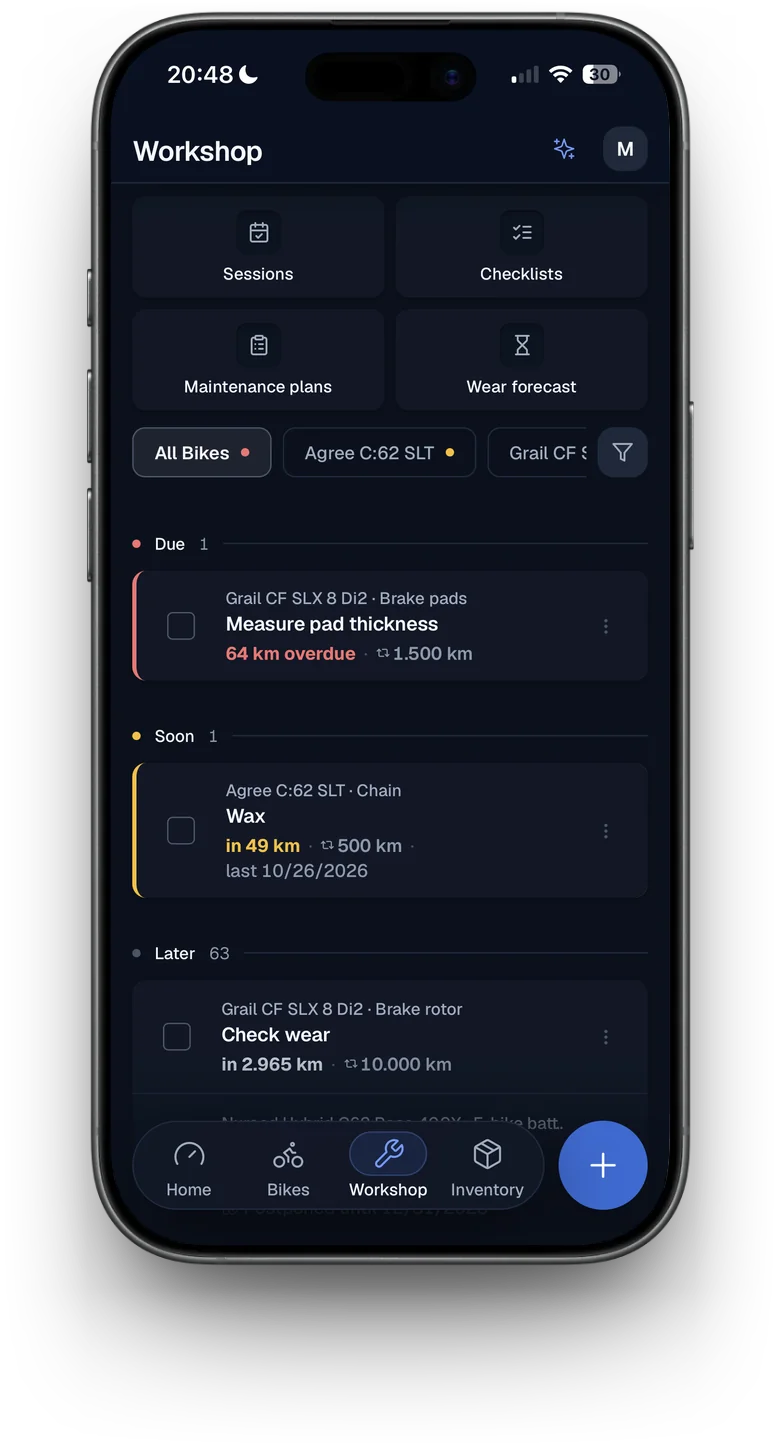
When did you last wax the chain? When was the last suspension service? Velopit shows you which services are coming up and what can still wait.
Your own service intervals
Set the right service intervals for your components. Depending on the part, by kilometres, operating hours or time.
Due maintenance at a glance
See at a glance which jobs are overdue, what is coming up soon and which services can still wait.
Automatic reminders
Velopit reminds you of upcoming maintenance. Depending on your settings, by push notification or email.
Wear forecast for races and tours
Planning a race, a longer tour or the start of the season? Based on your service intervals and your planned riding, Velopit estimates which jobs could fall due before you set off or along the way.
Included in Ride
Discover the wear forecastAlso
- Maintenance plans as templatesTemplates for road, gravel, MTB and more suggest matching intervals when you set up a bike. You share your own plans by link and apply other people's plans to your bike.
- Weekly recapIf you like, a weekly recap arrives by email on Thursday evenings.
Your setup. No longer buried in your notes.
Found the right riding position? Noted the perfect tyre pressure for your gravel bike? With Velopit you save your settings right on the bike and find them again when you need them.
Bike fit
Saddle height, setback, reach, drop and crank length. Keep your measurements right with your bike.
Tyre pressure
Save different tyre pressures for the front and rear wheel, to suit the surface and the riding you do.
Suspension
Record sag, rebound, compression and tokens for your fork and shock. That way you can find your settings again after the next service.
Also
- Torque specsNote the torque values for your parts in Nm, for example for the stem and seatpost.
Everything ready for your next workshop day.
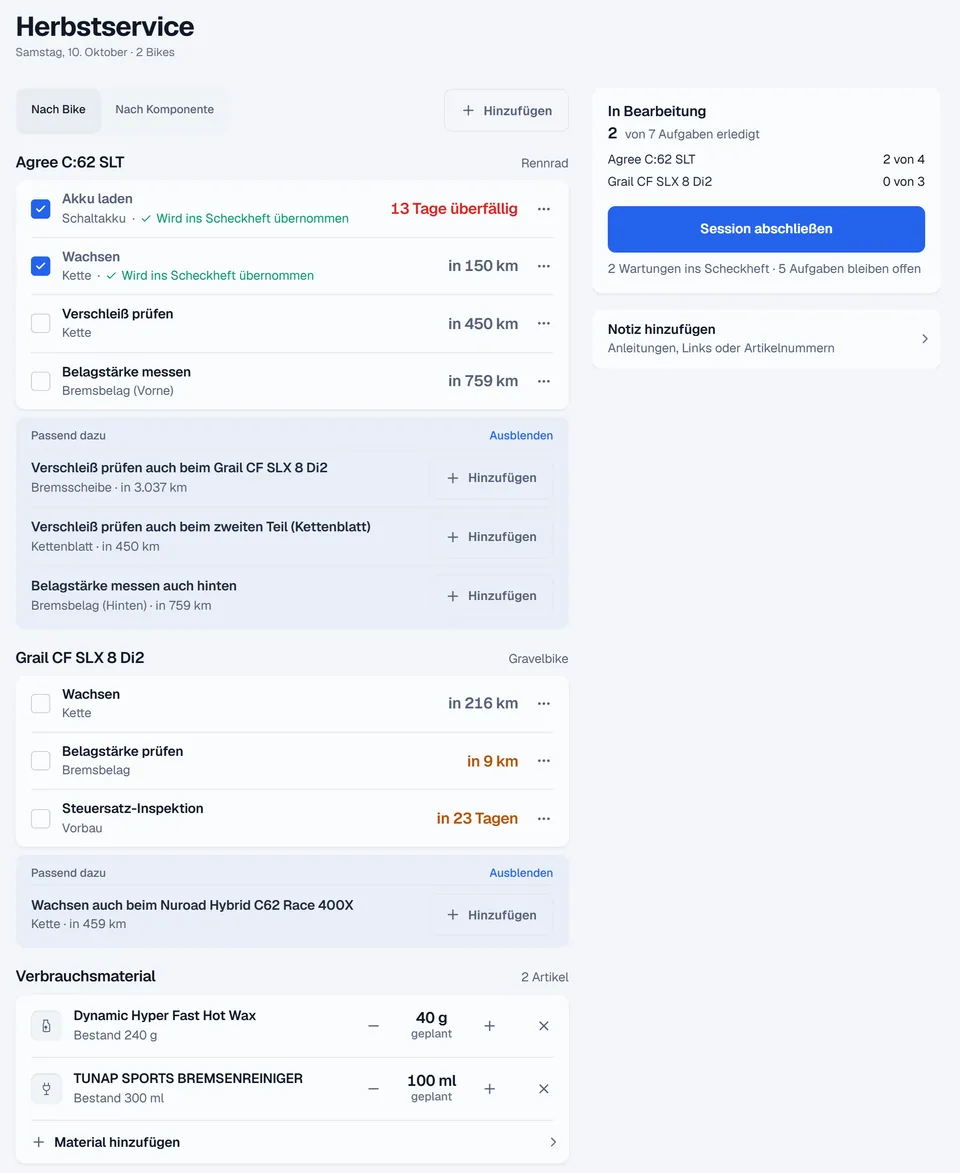
Wax the chain, change the brake pads and swap the cassette on your second bike. With a workshop session you plan the jobs you want to do on your bikes.
Do several jobs together
Put together a workshop session with all the jobs that are due. Across several bikes, too.
Checklists and tasks
Keep track of what is left to do and tick off finished jobs while you work on the bike.
Plan spare parts and materials
Check which spare parts and consumables you need and what is already in your inventory.
Log services straight away
When the work is done, you add the completed services to your digital service book. You can deduct the materials you used from your inventory straight away.
Also
- Shopping list and AI importWhatever is missing goes on your shopping list. Velopit reads invoices or order screenshots with AI, and once you have checked them, the items go into your inventory. Each import counts as an AI request.
- Share checklists and sessionsYou share your own checklists as a public page, and a proven session as a template without your bikes and stock.
Every service belongs in your bike's history.
You look after your bike, swap parts and sometimes have work done at a bike shop. In the Velopit digital service book you record what was done and when. So you can still look it up months or years later.
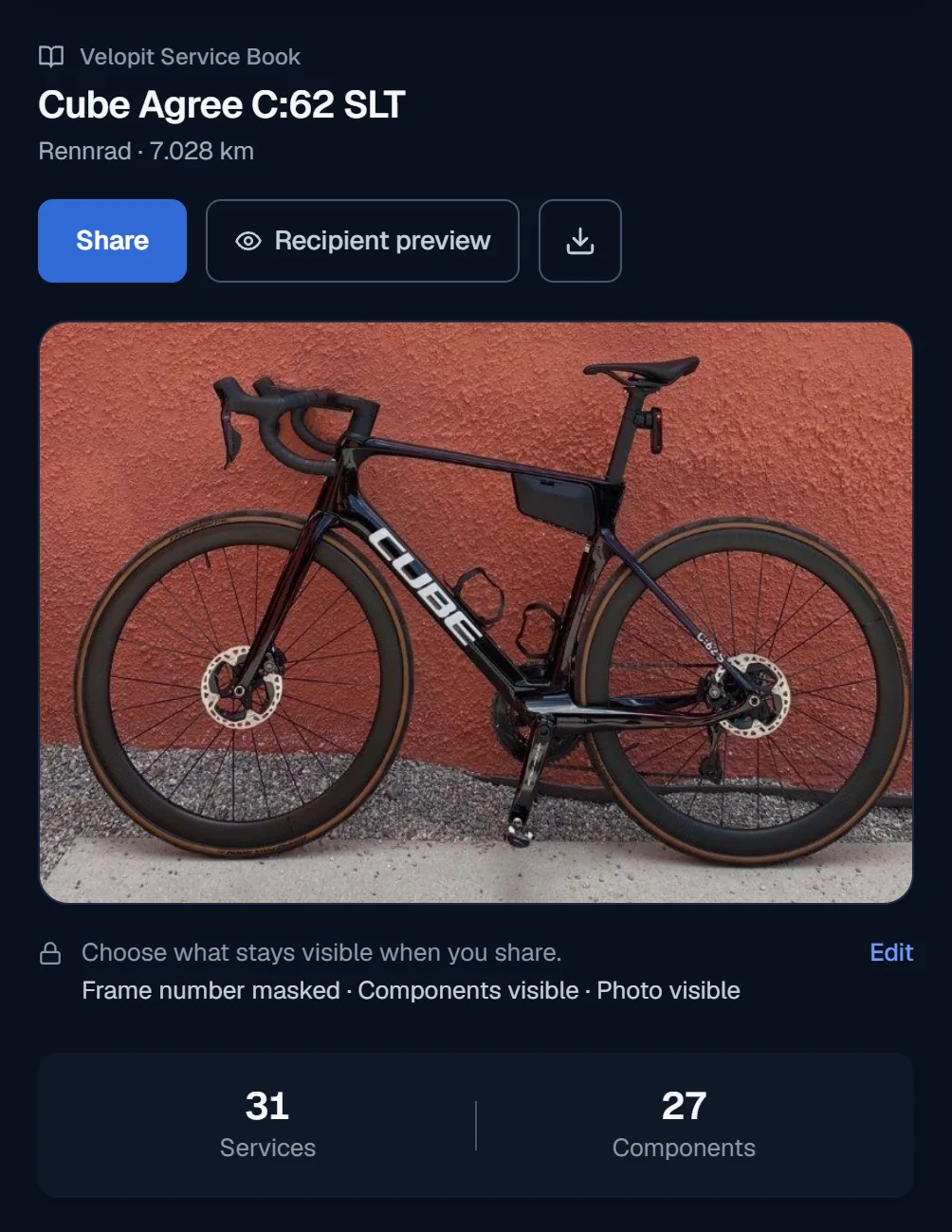
Digital service book
From a chain swap to a major inspection: log services with the date, the mileage and other details.
History for bike and components
Look up when you fitted, swapped or serviced a component. The work you log stays linked to your bike and to each part.
Invoices and documents
Store receipts, bike shop invoices or service papers right with your bike. So you will not have to hunt for them later.
Share your service book
Show friends your bike with its components and maintenance history, or share the service book with your bike shop or a potential buyer. By link or as a PDF.
Hand over a bike
Selling a bike? Hand it over by link or QR code. The new owner takes it over with its components and service history in their Velopit account. Your costs, your notes and the invoices attached to your service entries stay with you. Photos and documents only go along if you tick them.
Export your data
Want to use your data outside Velopit? There are several export options for that, including a PDF or an Excel file.
Also
- Reverse instead of deleteEntries in the service book are reversed, not deleted. Corrections stay visible on the entry.
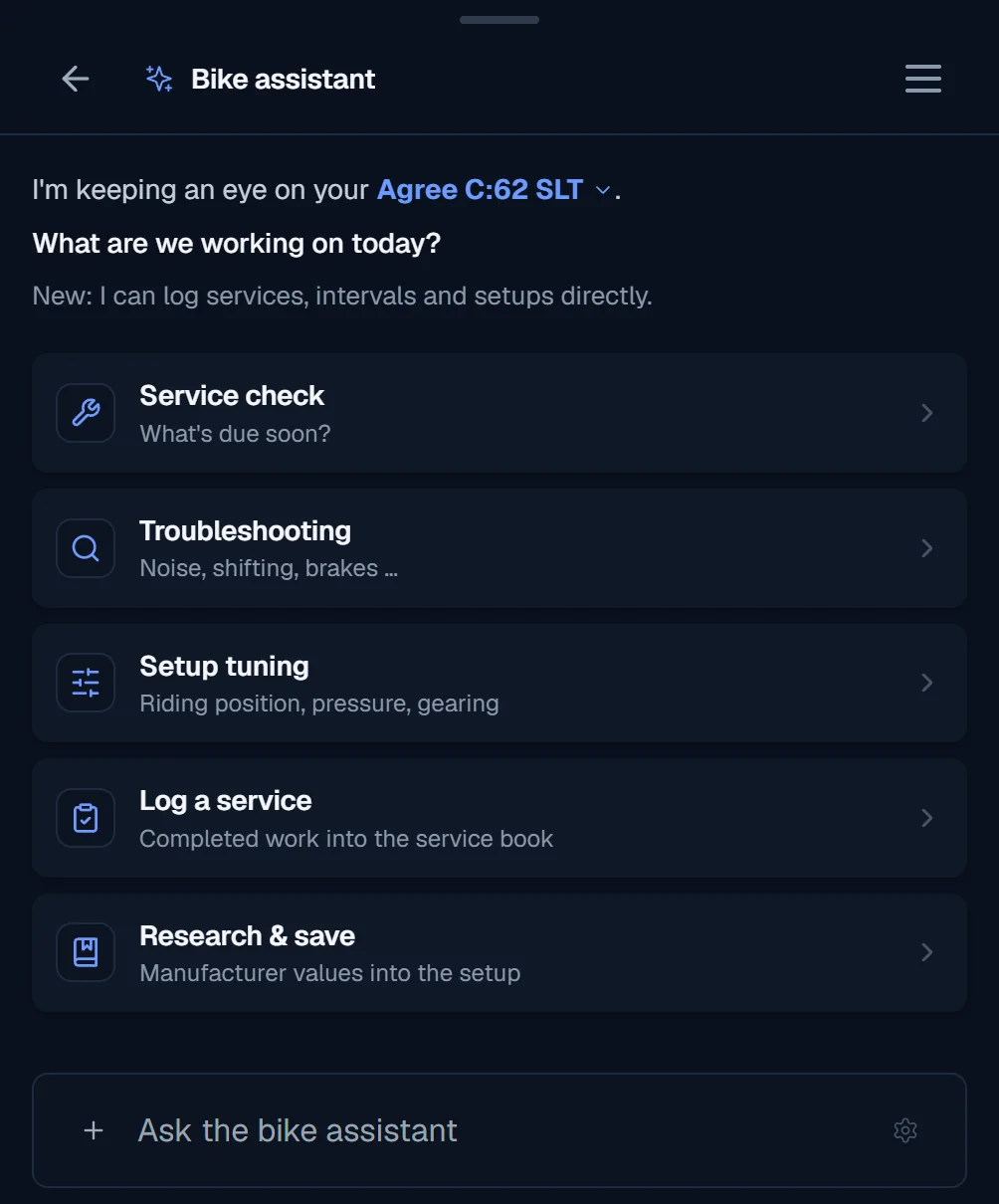
Your bike assistant. It knows your bikes.
Which oil does your fork need? What torque do you tighten the seatpost to? And when did you actually last change the chain?
Instead of researching from scratch every time, you ask your bike assistant. It takes your saved bikes, components, setups and services into account.
Questions about your bikes
The assistant can draw on the bike data you have saved. So you do not have to explain which components you ride every time.
Look up technical information
Service intervals, manufacturer specs or setup questions: the bike assistant helps you find the right information.
Save services and settings
Once you confirm, the bike assistant can log completed services, create new intervals or save supported setup values.
Already included in Basic
With Basic you get 25 AI requests a month. With Ride your use of the assistant is unlimited, within the bounds of reasonable use.
Also
- Questions about using VelopitAsk how something works in Velopit, and the bike assistant looks it up in the Velopit Wiki and links to the article.
Add your bikes now.
With Basic you manage up to three bikes for free. Components, service intervals and the digital service book are all included.
Velopit works in any browser, with one account.